How do I link my MyTarget account?
To connect your own MyTarget account to Appodeal, follow these simple steps.
Step 1: Create and prepare a MyTarget account
a) Register in MyTarget service as a partner and confirm your account via email. If you already have a MyTarget account, skip this step.
The MyTarget account must been created as "Partner" account. You can't change type of MyTarget account.
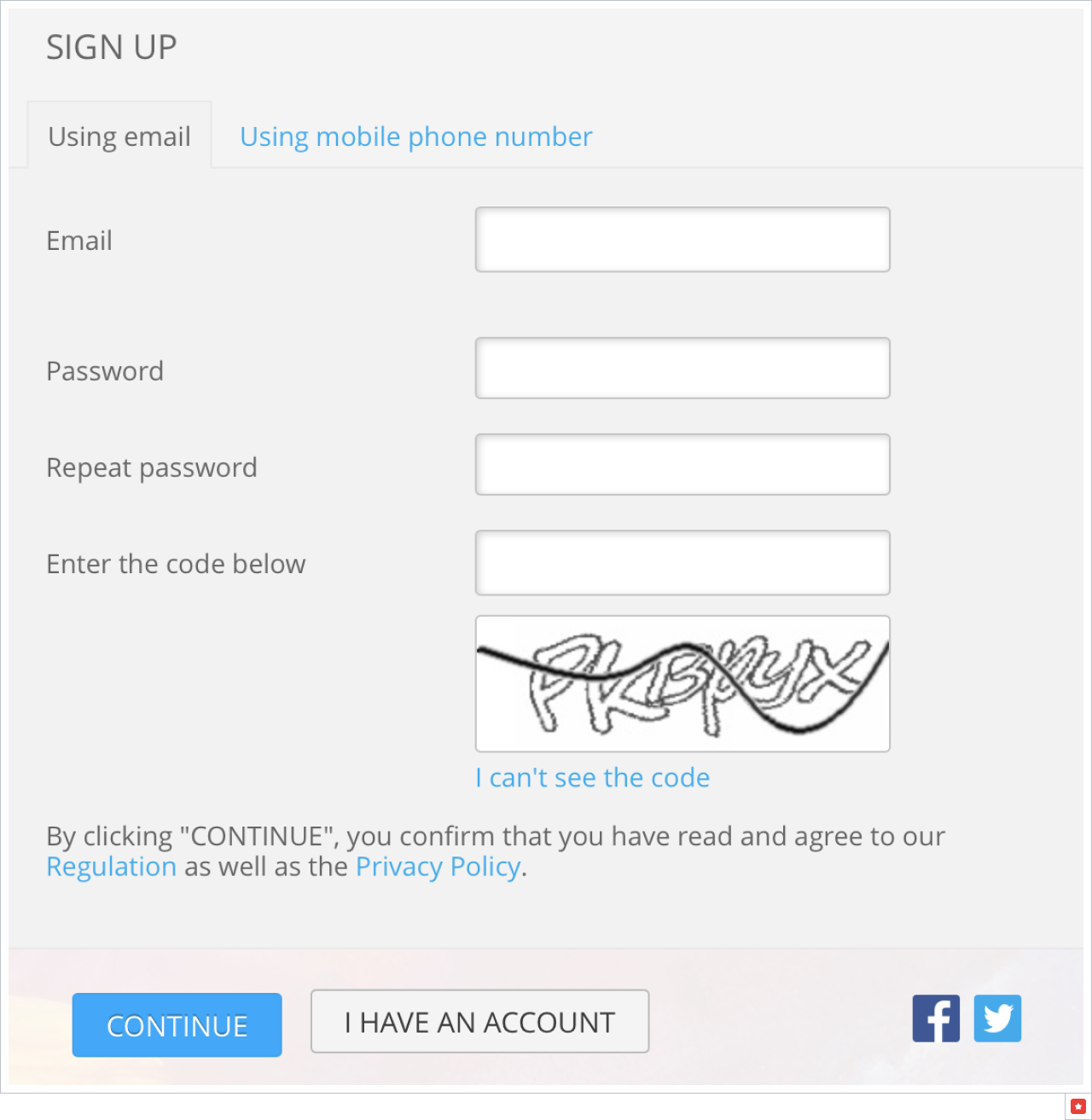
b) Go to the MyTarget dashboard and accept the Terms of Service Agreement.
c) Add apps and ad units you want to monetize with MyTarget. Go to Dashboard->Apps, click on the Create app button:
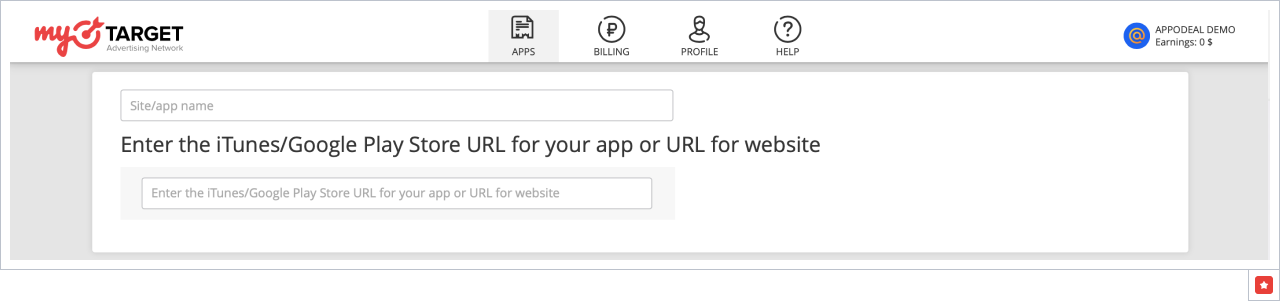
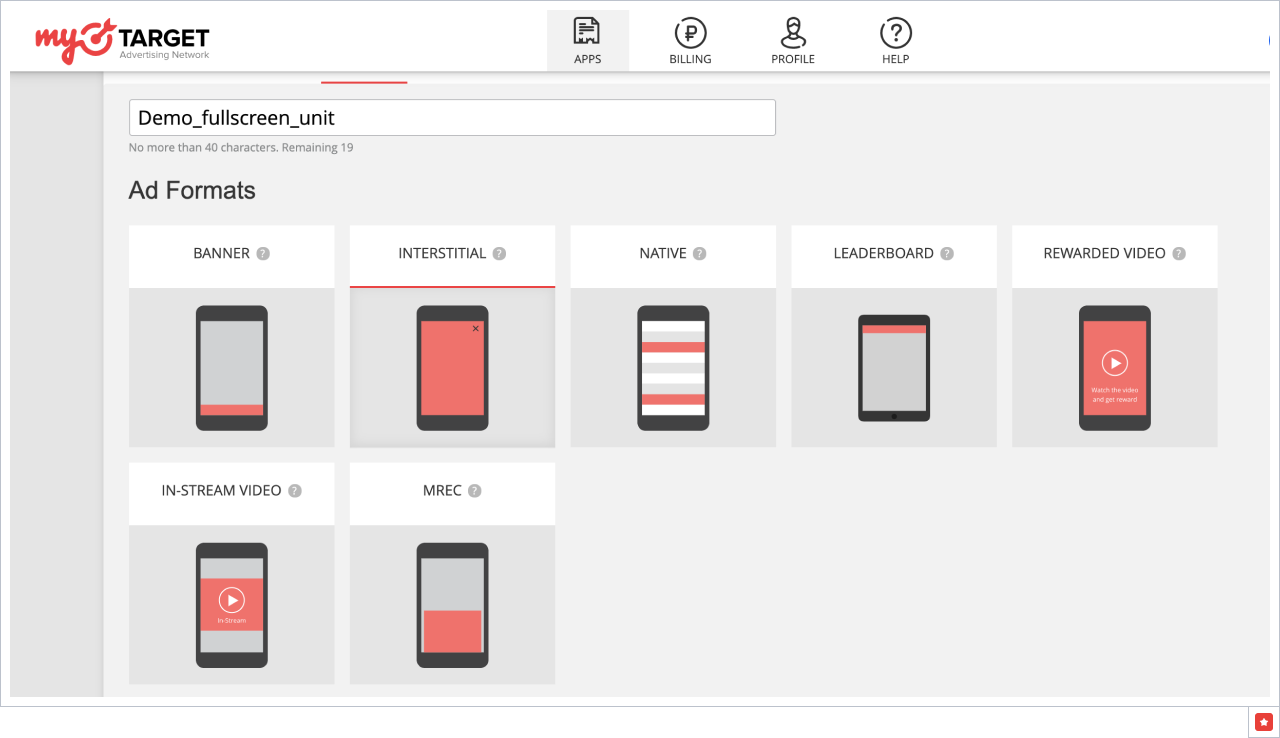
Enter app name and iTunes or Google Play URL for the app. Then create the first ad unit:
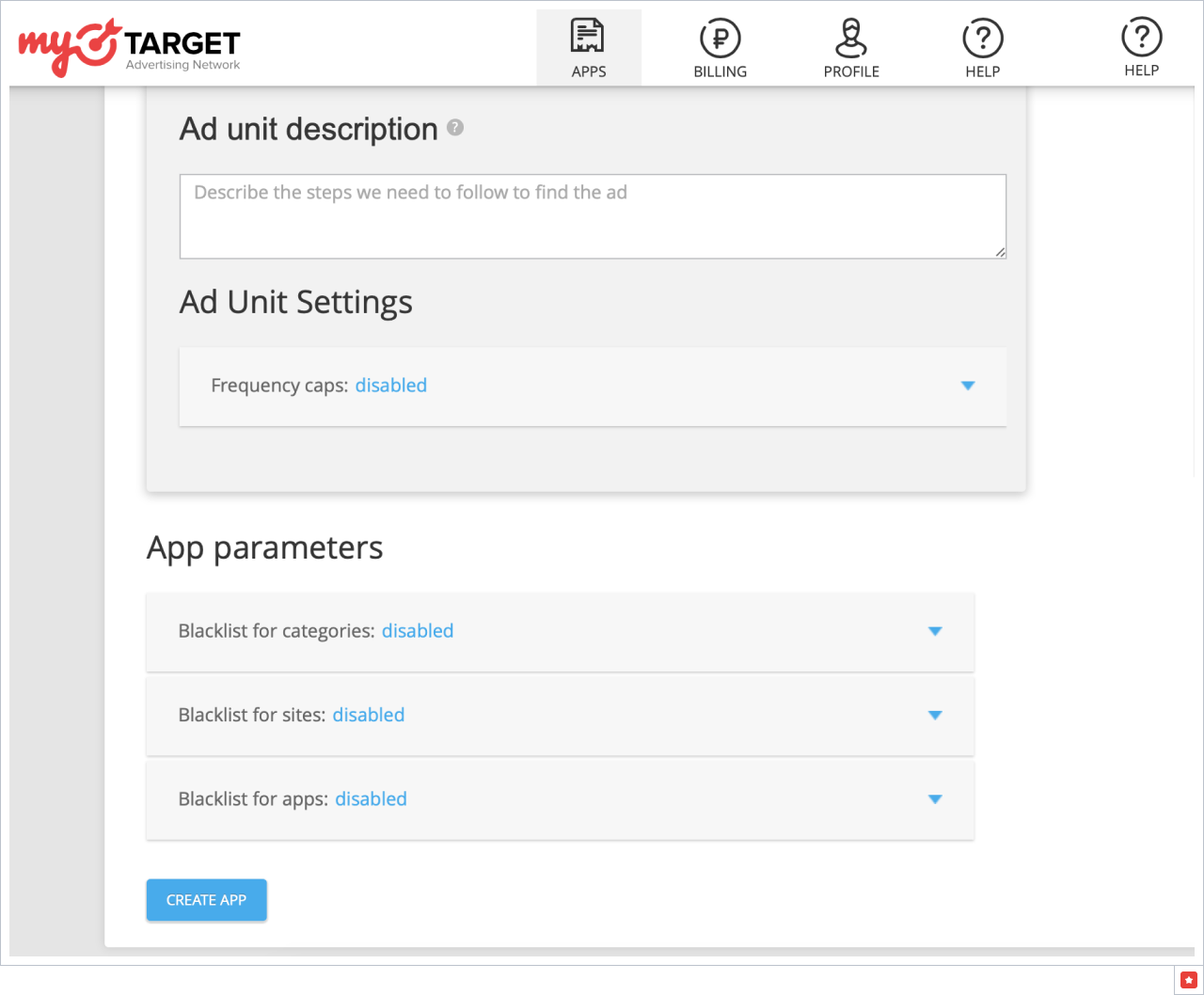
Enter a description of the ad unit parameters and the parameters of the app. Then click "Create app".
The new block will appear in the list on the "Apps" tab. Click on the name to view the app data.

After the successful completion of moderation, the status of the block will change to "Working". Then select Create Ad Unit to create more for different ad types.
There are no pricefloors for any MyTarget placement by default. If you want to set it up, you have to request a pricefloor from MyTarget manager or use Appodeal account.
Step 2: Link your MyTarget account with Appodeal
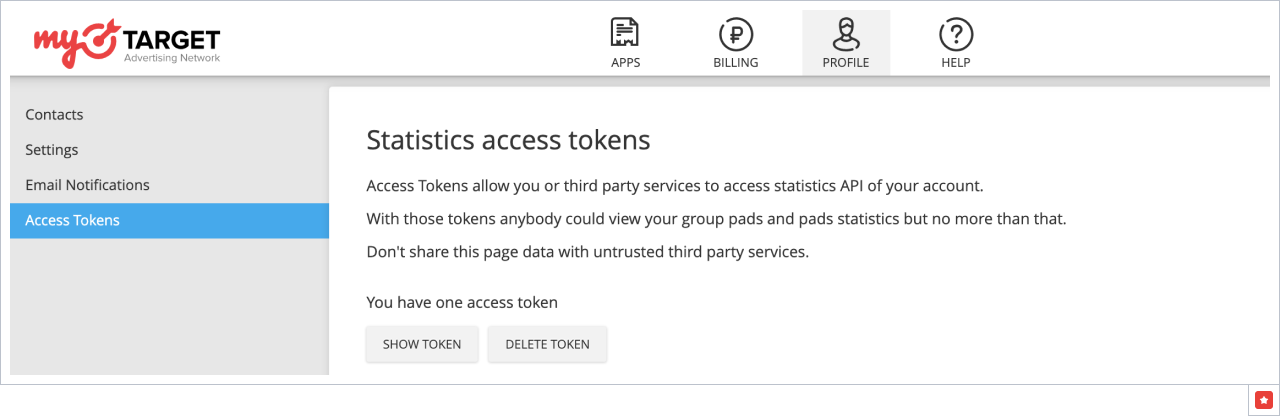
a) Get Token from your MyTarget account. MyTarget provides reporting API, which allows to get automatically MyTarget performance data for publisher sites and apps.
To obtain Reporting API access you need to get an access token:
- Open Access Tokens settings page in MyTarget account.
- Create new or get a current Reporting API token.
- Copy access token.
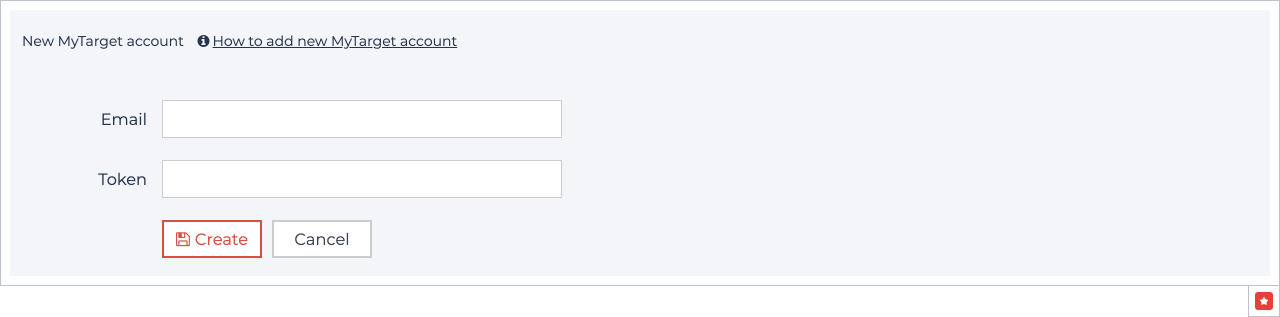
b) Add your MyTarget account to Appodeal. Follow this link → Go to MyTarget → Link your account and add email for MyTarget account and API access token.
Step 3: Add Ad Units to Appodeal
Linking MyTarget account is allowed in Demand Control Center.
- Follow this link: https://app.appodeal.com/apps/linked_networks
- Choose MyTarget and enter MyTarget email and Token to the link your account.
You can find token here: https://target.my.com/profile/access_tokens
- Go to Line Items in app settings.
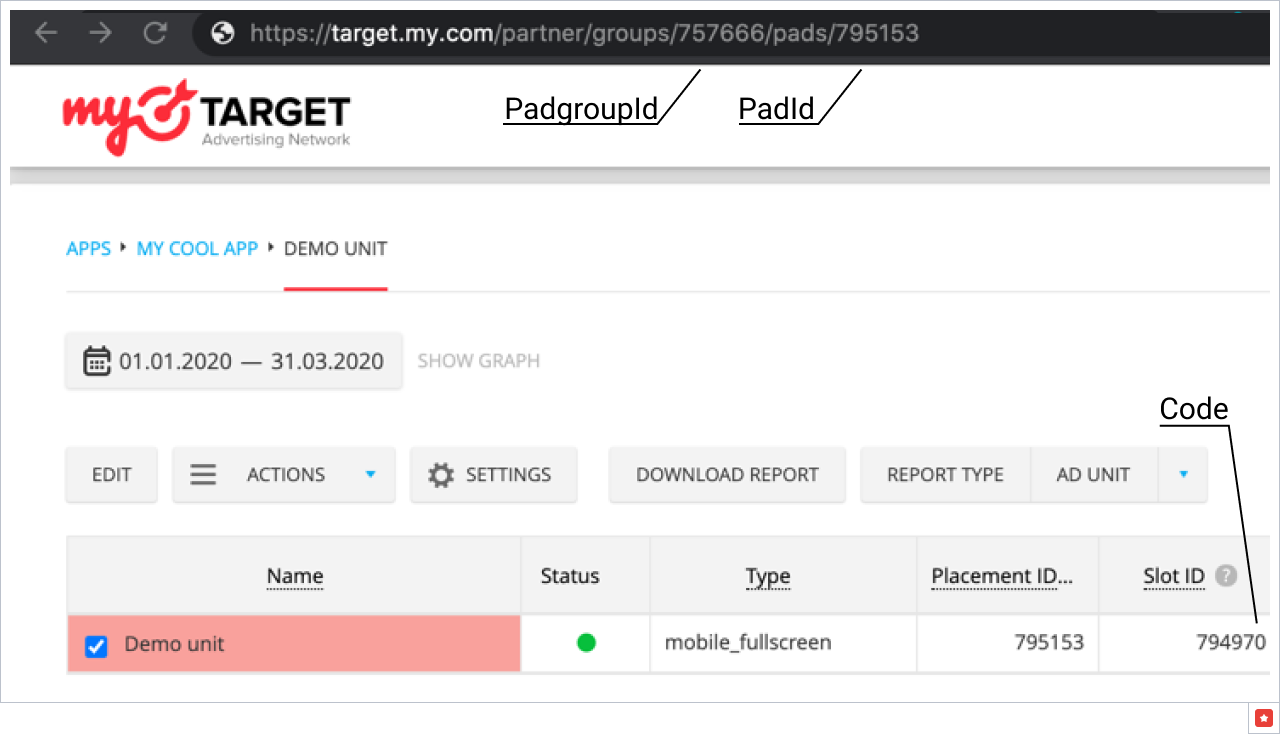
You need the following information to link your app and ad unit: PadGroupId, PadID, and ad unit code. You can find all that info on ad units list in MyTarget dashboard:
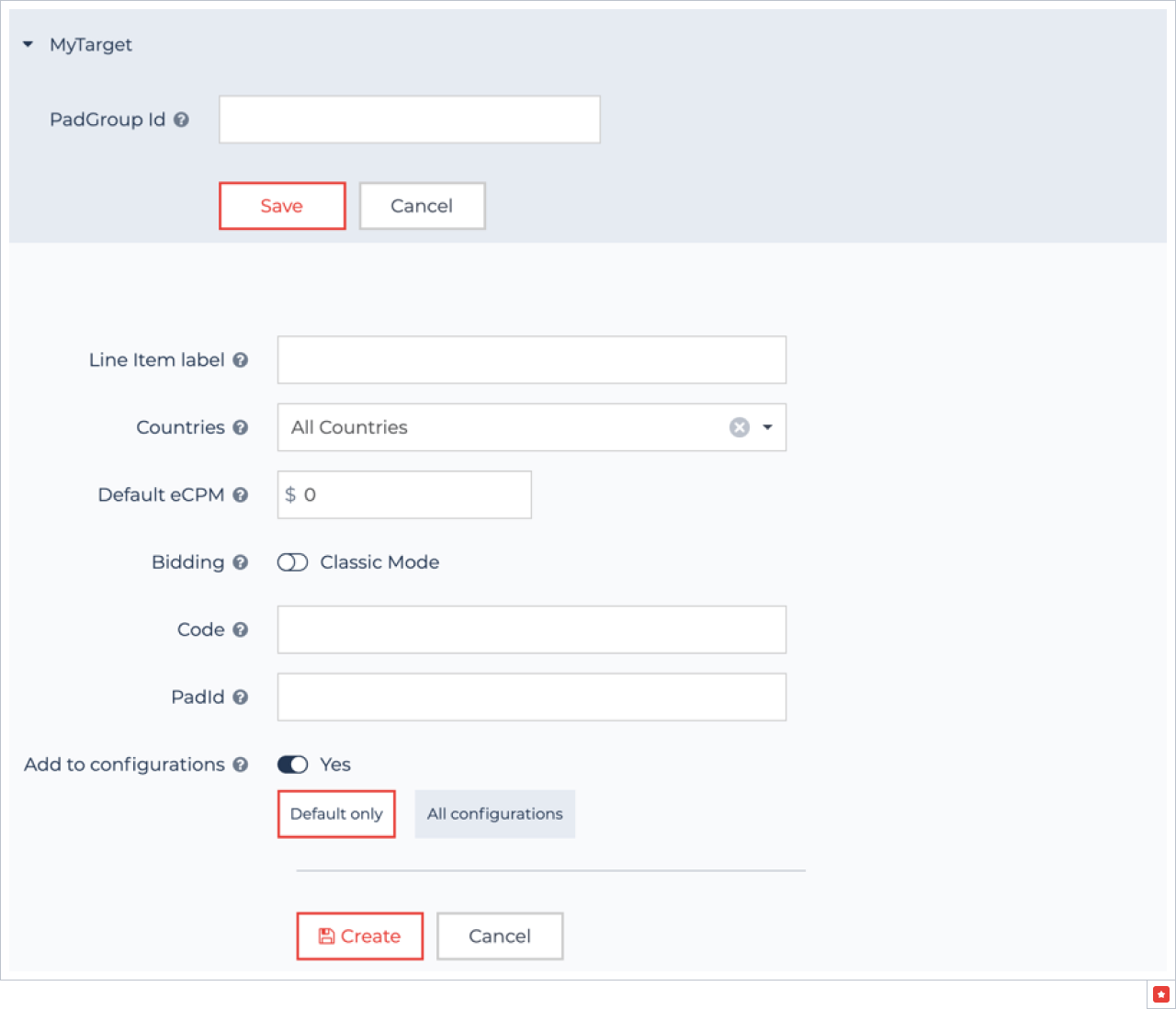
- Choose your MyTarget account, fill PadGroupId and press "Add line item" button.
- Enter Line Item label (a name for your ad unit in Appodeal dashboard), Countries, eCPM (manual ad unit's position in the waterfall) or enable automatic mode, insert ad unit code and PadId.
MyTarget CPM floor uses RUB currency, not USD. Appodeal uses USD currency. Do not forget that while linking MyTarget ad unit in "Add line item" menu.
After creating line items, save the changes.
Now you can monetize with MyTarget via DCC.