How do I link my Vungle account?
See also the Networks Setup guide for Vungle.
To connect your Vungle account to Appodeal, follow these simple steps.
Step 1: Create a Vungle Network account
Create a Vungle account using this link. Choose the Publisher account type in the last field. Confirm your account via email and go to the Vungle dashboard. If you already have a Vungle account, skip this step.
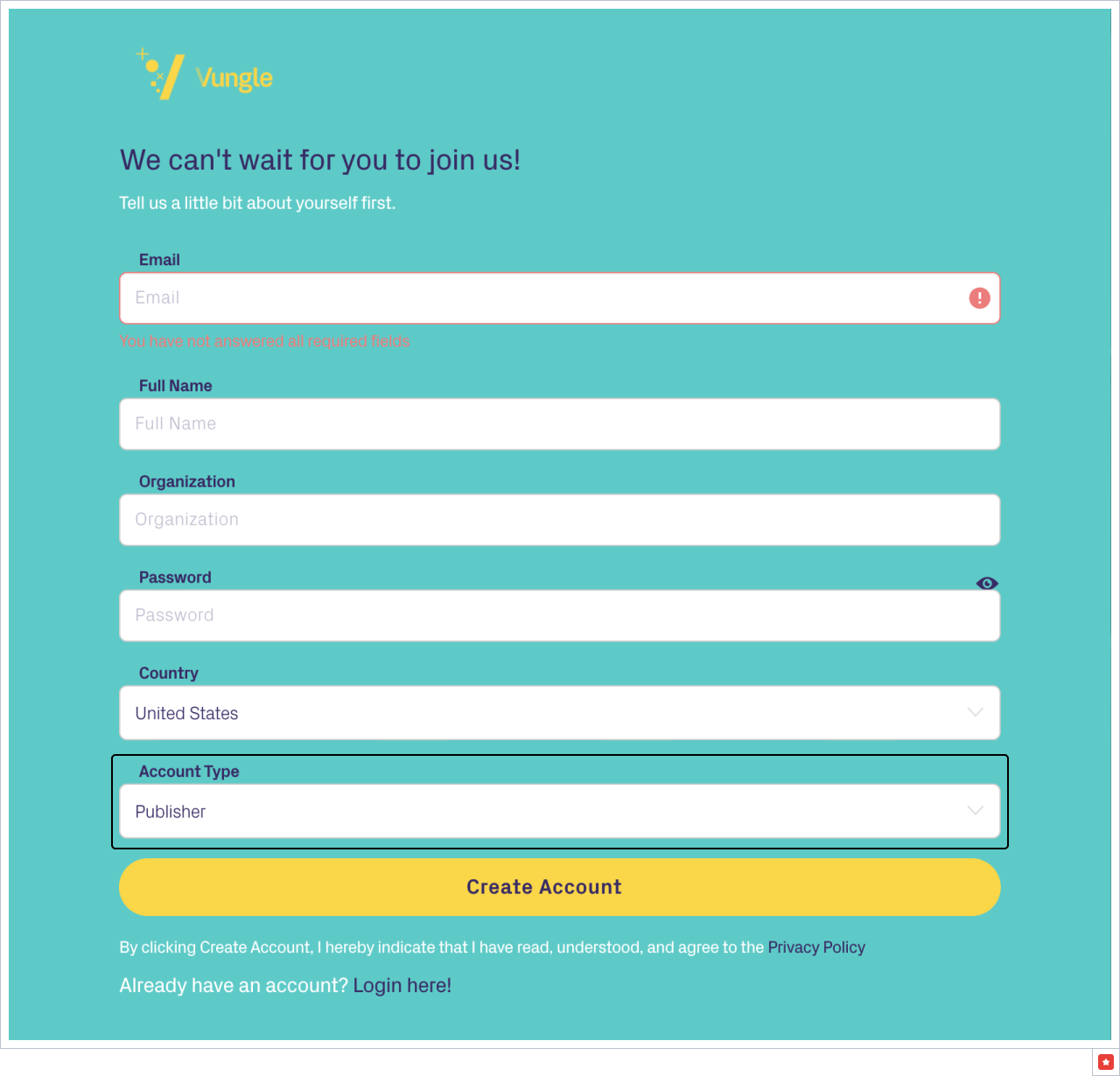
Step 2: Add apps you want to monetize with Vungle
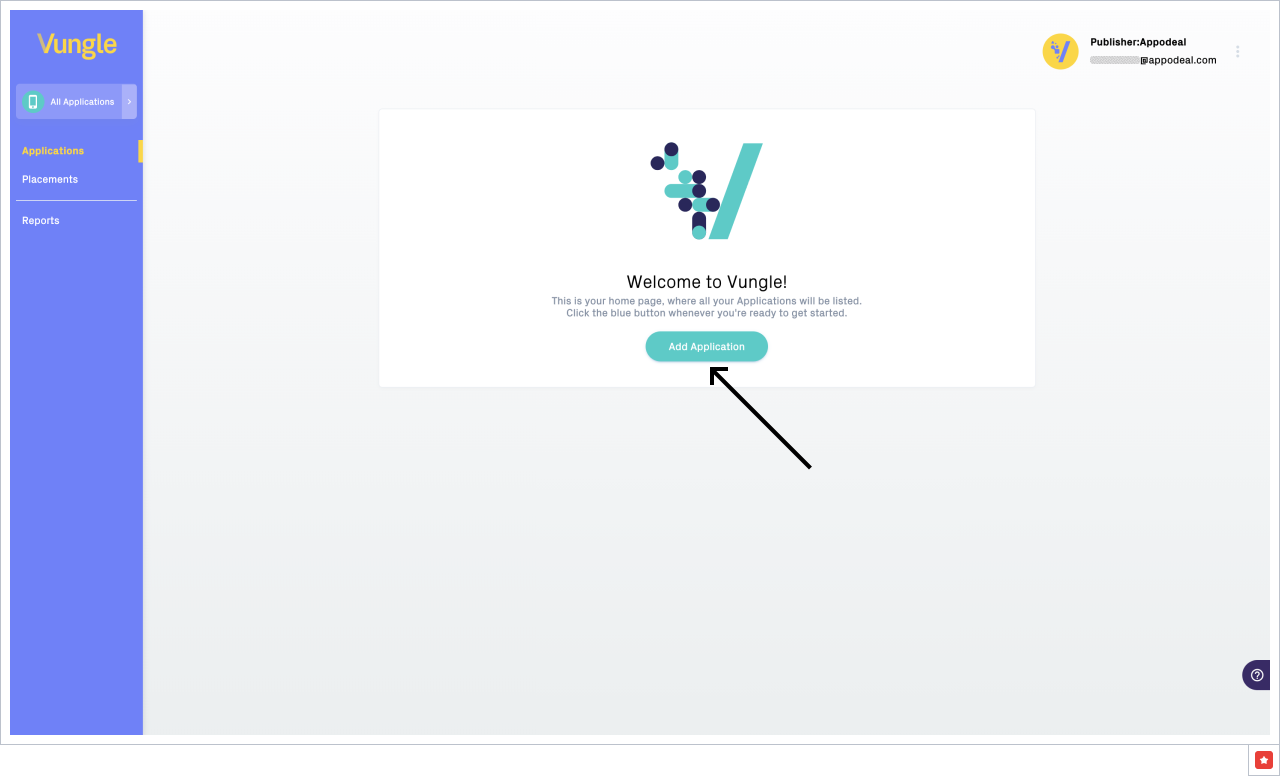
Go to Dashboard, click on the Add Application button. If your app supports both Android and iOS platforms, you need to add each of them separately.
Select a platform for your app, add the app's name. Choose the app's state in the Store. If the app is live in the store, choose My app is live and use a search field to add the link. If the app is not live yet, you will receive test ads. You can connect the store link at any time later in the app's settings.
If your app is oriented on children under 13, tick the checkbox COPPA Compliance.
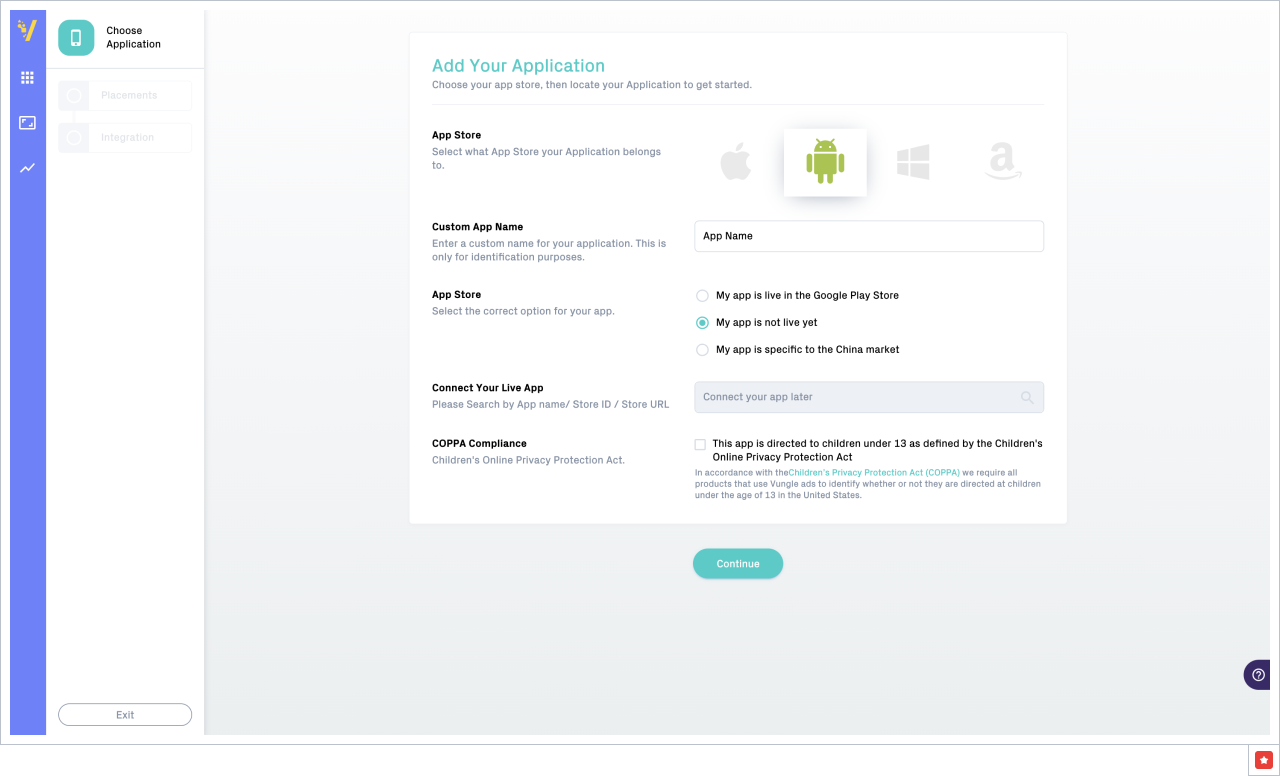
Click on the Continue button.
Step 3: Create placements for the app
Vungle banners and MREC are supported by Appodeal starting from Appodeal SDK 2.11.0+.
Select the ad type and fill the name of the placement. For rewarded video, choose "No" for a Skippable setting.
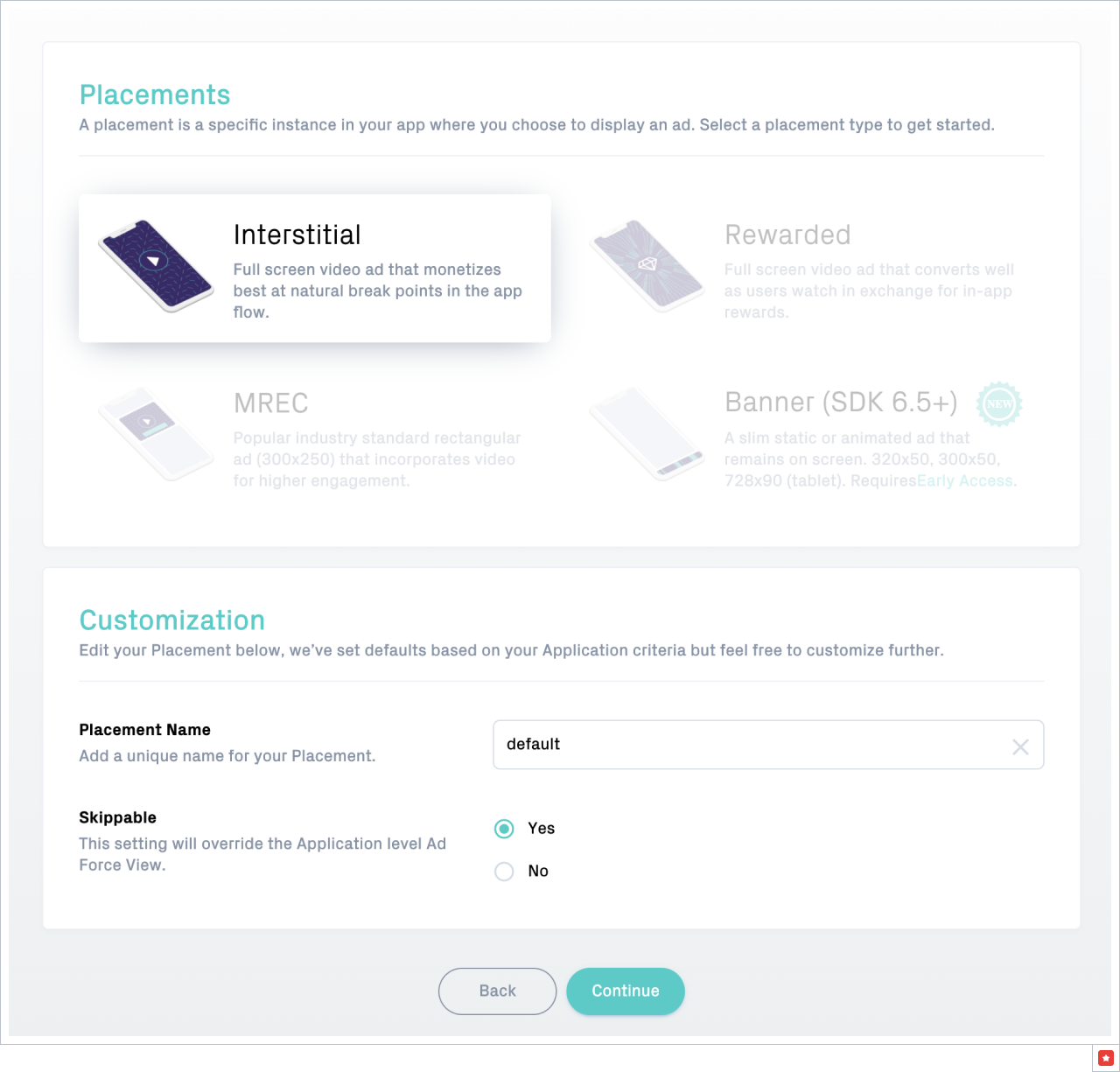
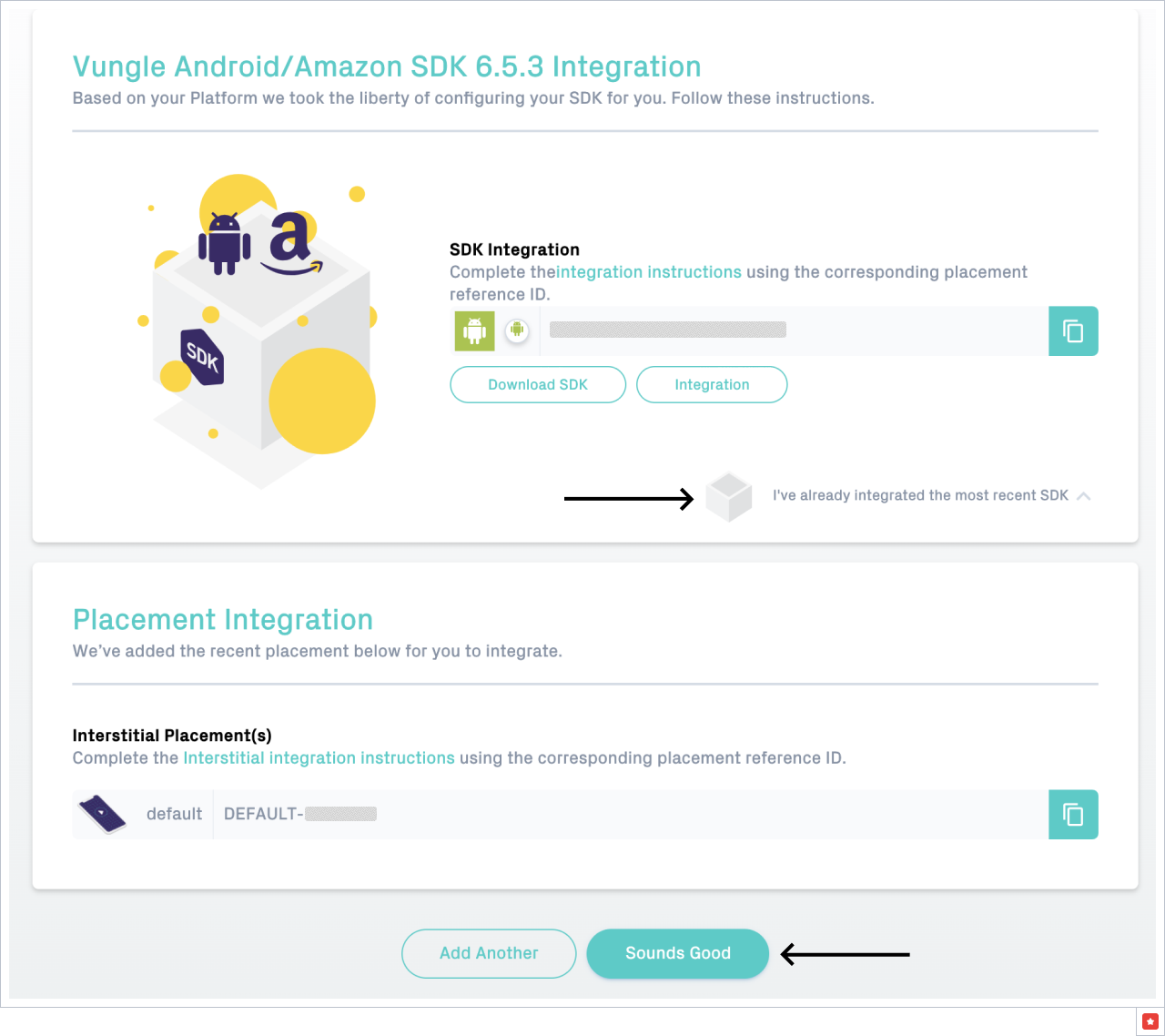
Click on the Continue button and click on the button "I've already integrated the most recent SDK" and press "Sounds Good" on the next page (see the screenshot below).
Step 4: Link your Vungle account with Appodeal
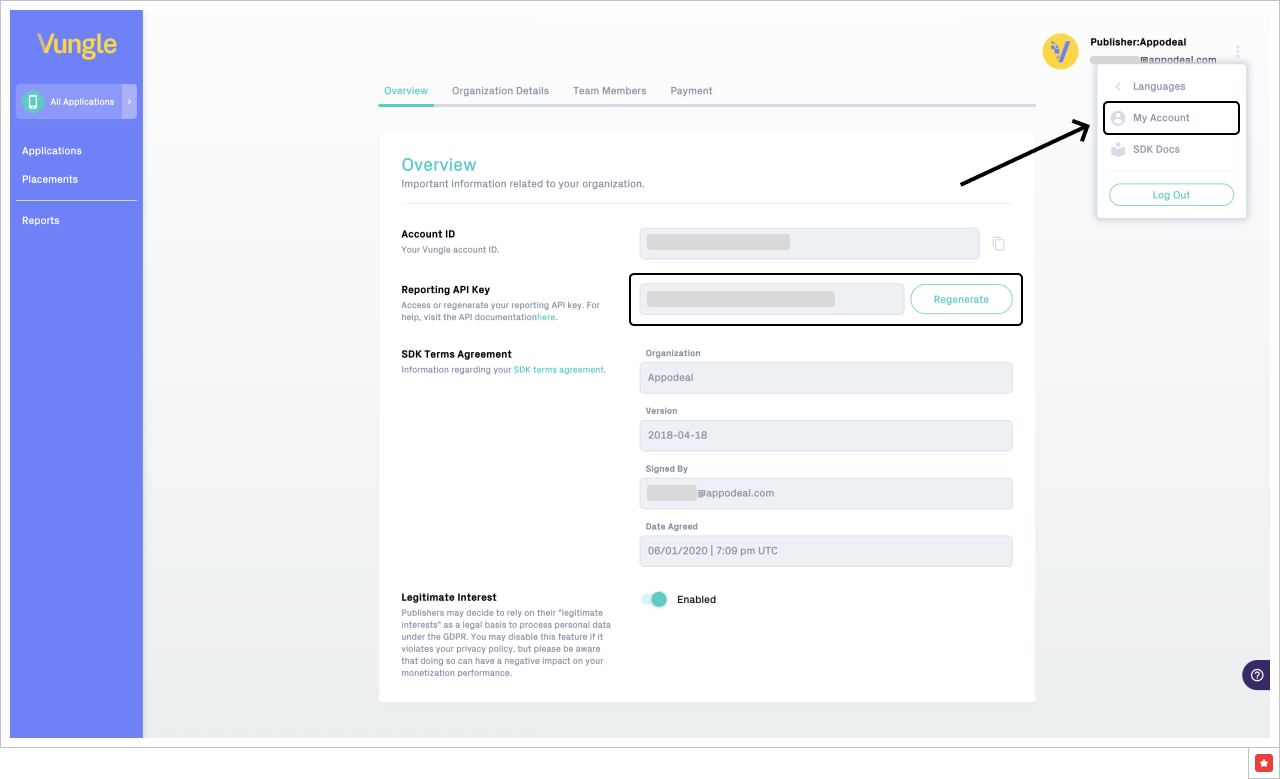
For getting Reporting API Key from your Vungle account, click on the Settings button at the top-right corner, choose My Account and copy Reporting API Key:
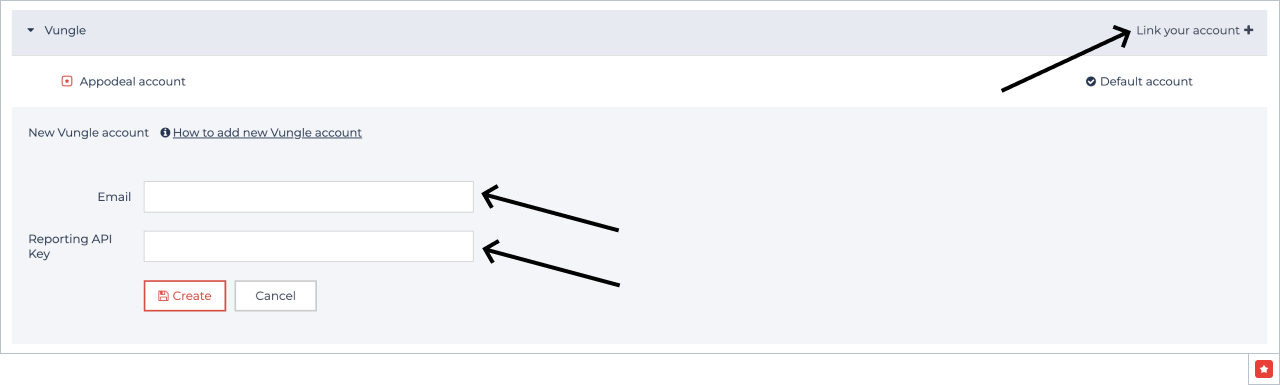
Now you can add an email for the Vungle account and Reporting API Key for Appodeal.
а) Go to Networks Accounts page.
b) Go to Vungle and click on "Link your account".
c) Add email for Vungle account and Reporting API Key.
d) Click on the "Create" button.
Step 5: Link your Vungle App with Appodeal
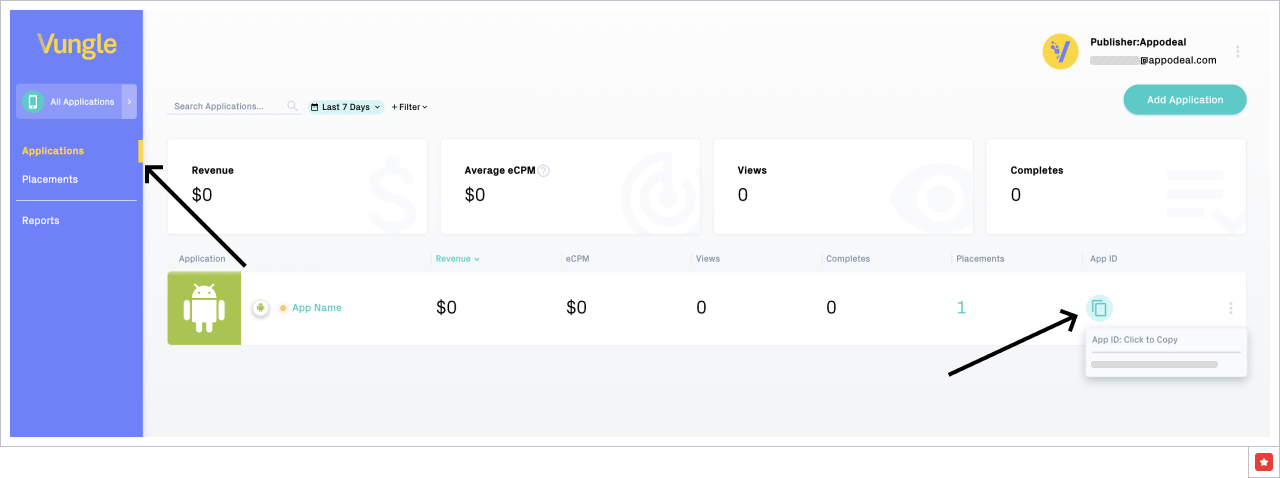
Go to Applications on the Vungle side and click on App ID to copy.
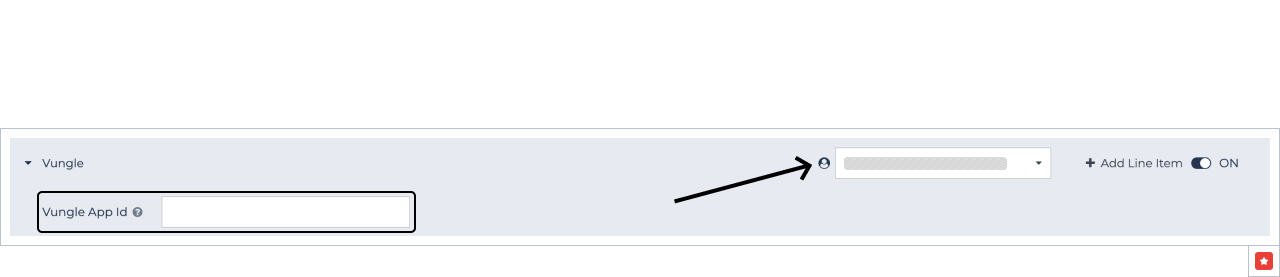
Add Vungle App ID at Appodeal. Go to Line Items in the app's settings and select the ad type. Choose the Vungle account and add the Vungle App Id.
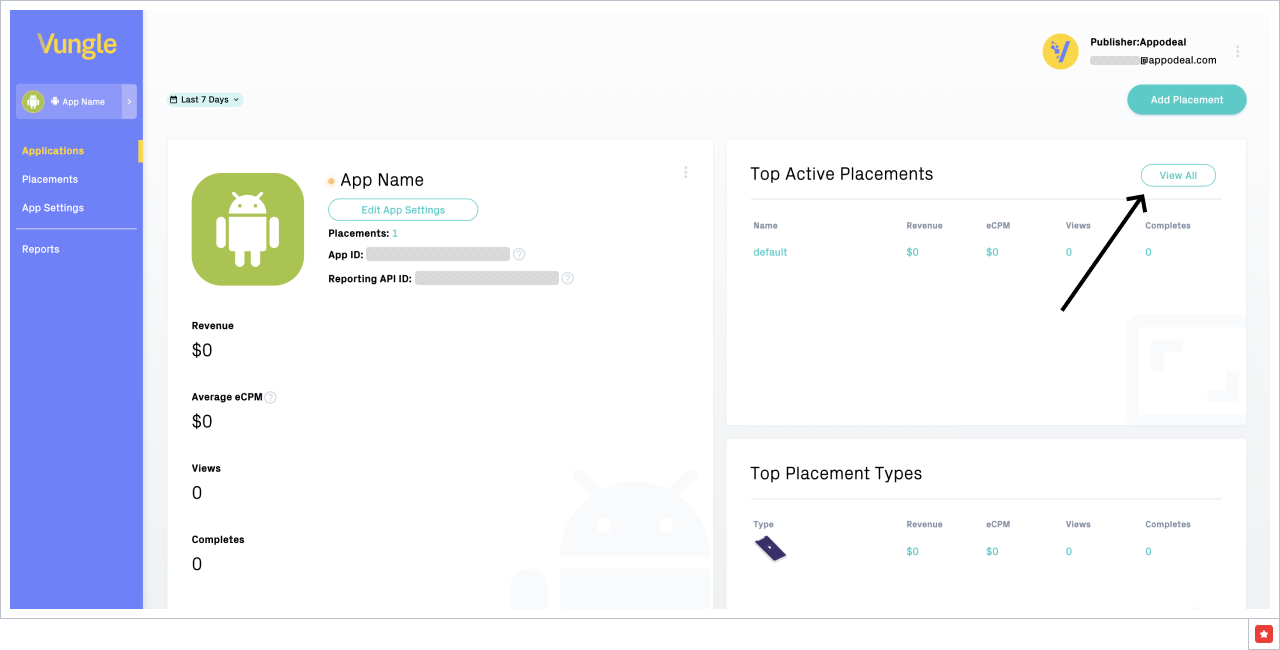
Go to the App's settings on Vungle and click on the View All placements (see the screenshot below).
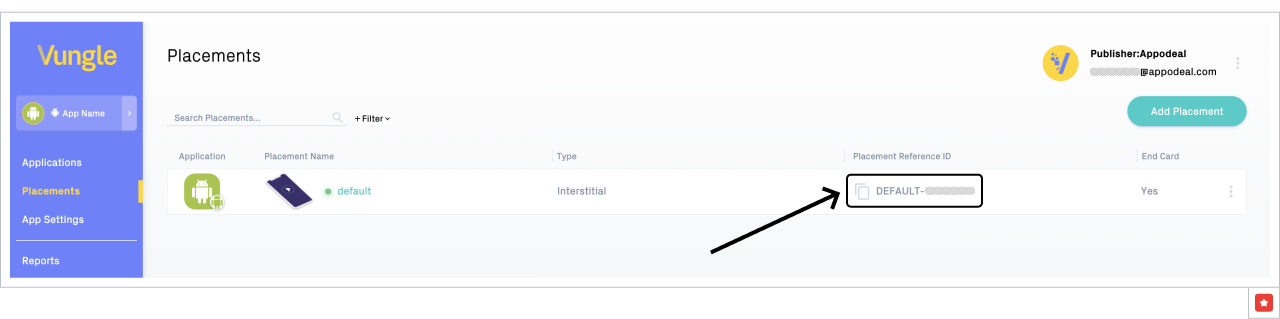
Click on Placement Reference ID to copy.
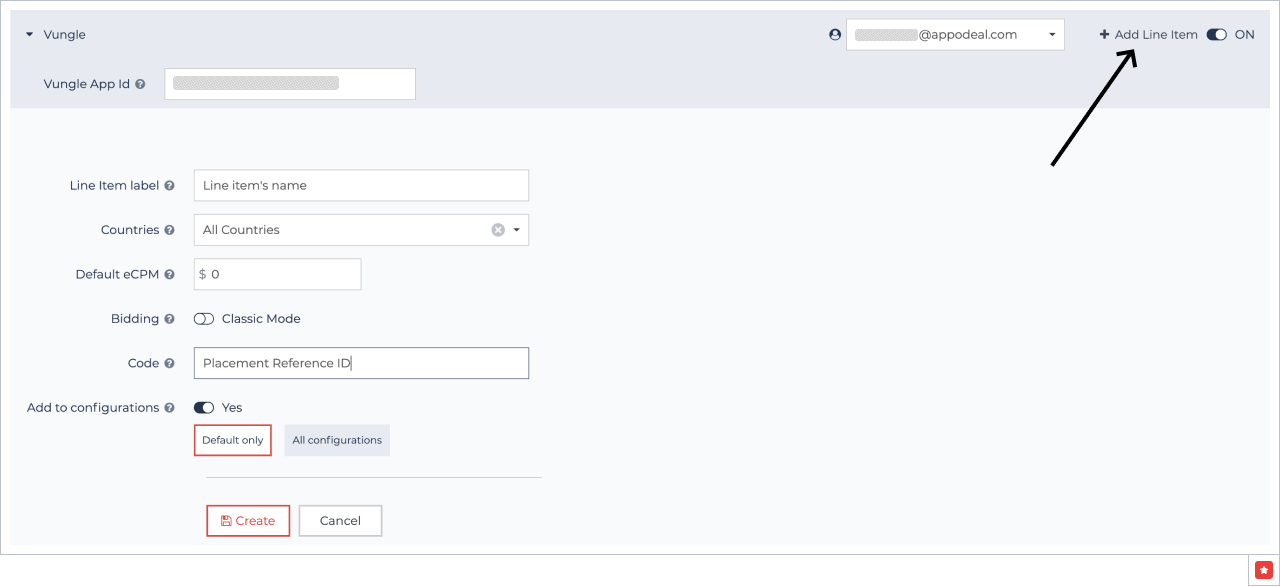
Go to Line Items in the app's settings and select the ad type. Press the Add Line Item button and add Line Item label, Countries, eCPM, then choose either Default only or All configurations. Finally, add Code.
Code is a Vungle Placement Reference ID.
After creating all the line items, save the changes.
Congrats! Now you can monetize with Vungle Network via DCC.