How do I link my Unity Ads account?
See also the Networks Setup guide for Unity Ads.
To connect your own Unity Ads account to Appodeal, follow these simple steps.
Step 1: Set up a Unity Ads account
a) Create a Unity account using this link. If you already have a Unity account, skip this step.
b) Confirm your account via email.
c) Go to the Unity dashboard and accept the Terms of Service Agreement.
Step 2: Add apps you want to monetize with Unity
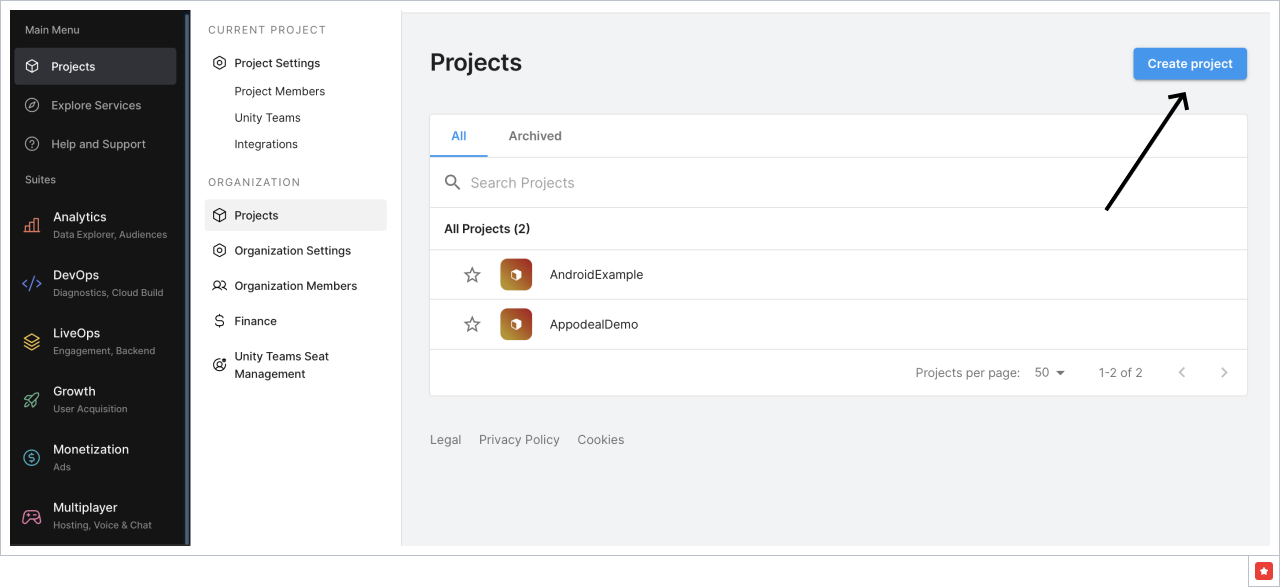
Go to Unity Dashboard → Projects and click Create project button.
If your app supports both Android and iOS platforms, you don't need to add each of them separately.
Step 3: Set up Monetization
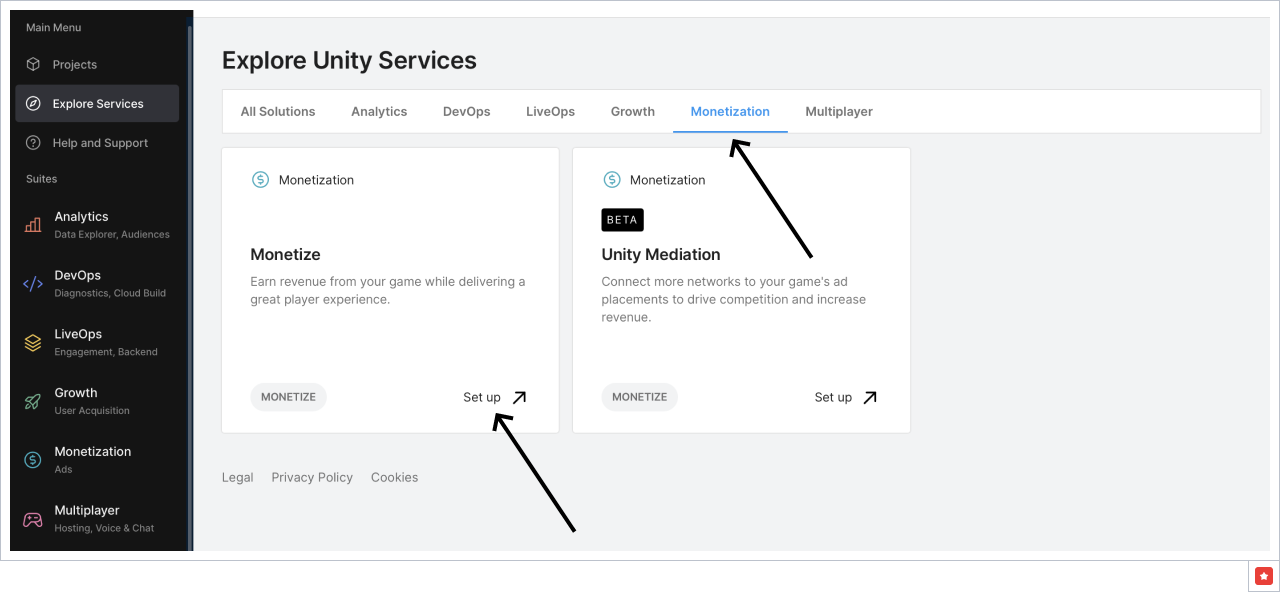
Go to Explore Services → Monetization and press Set up button.
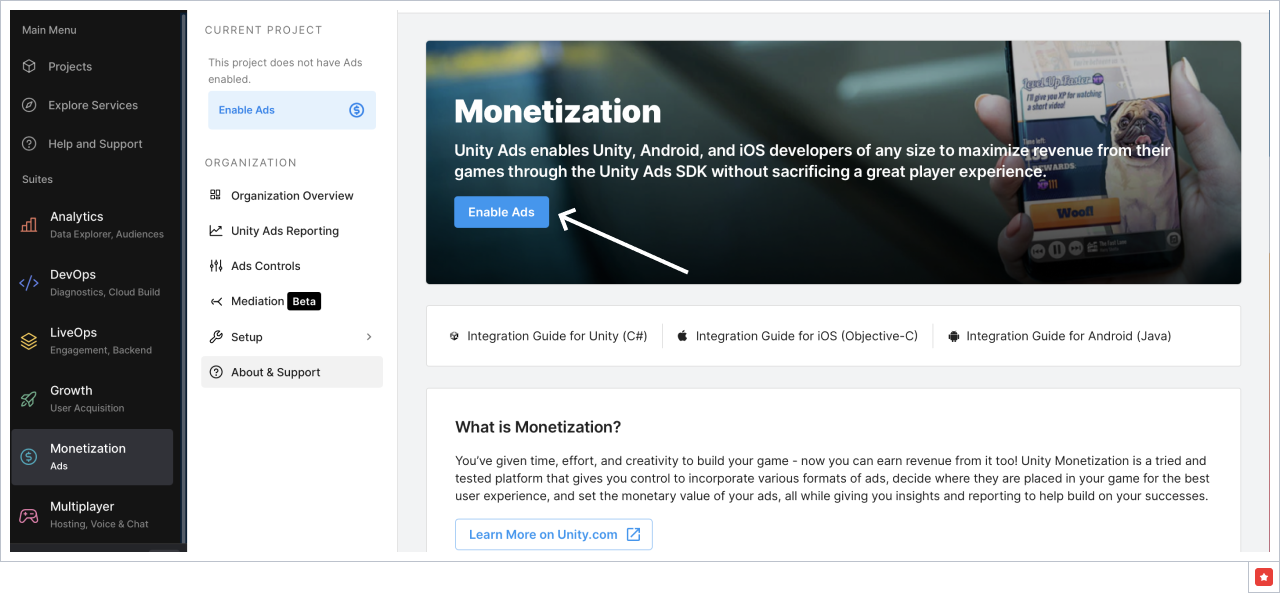
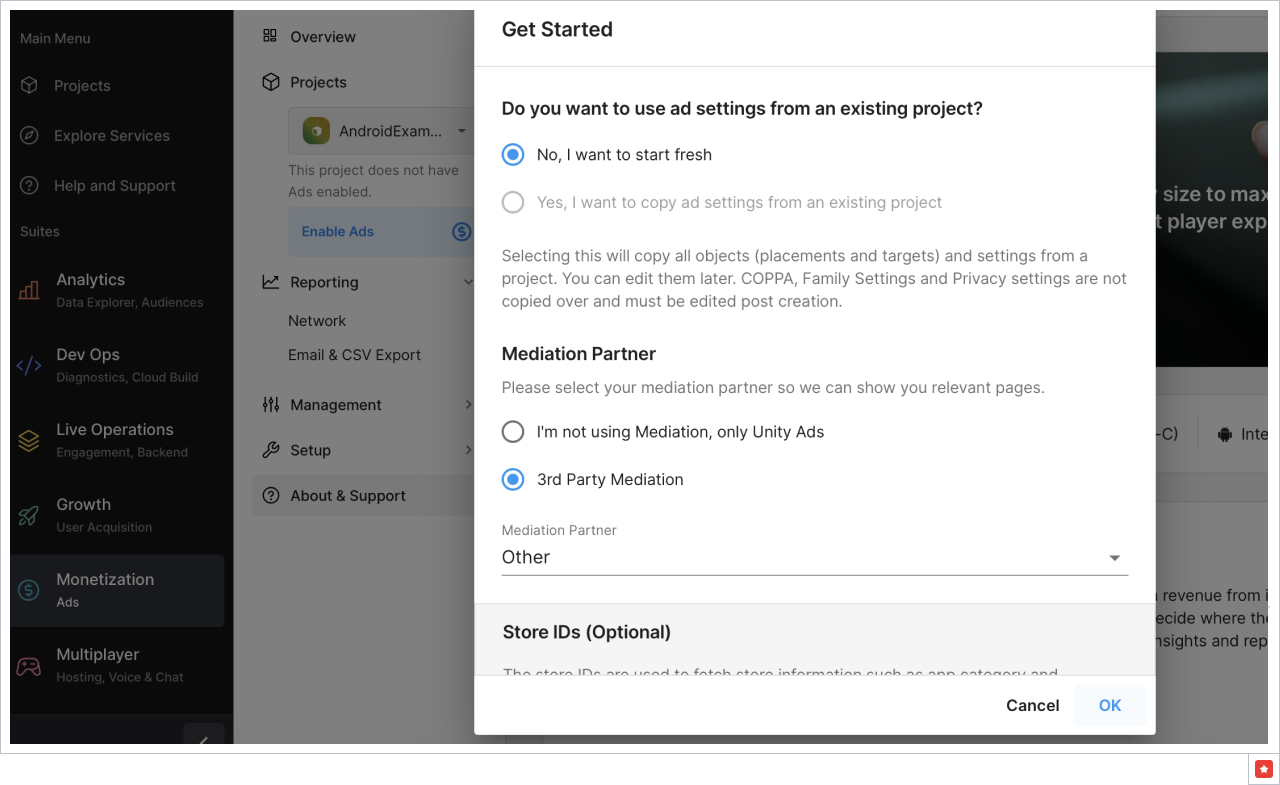
Then in Monetization section press Enable ads.
Step 4: Create placements for the application
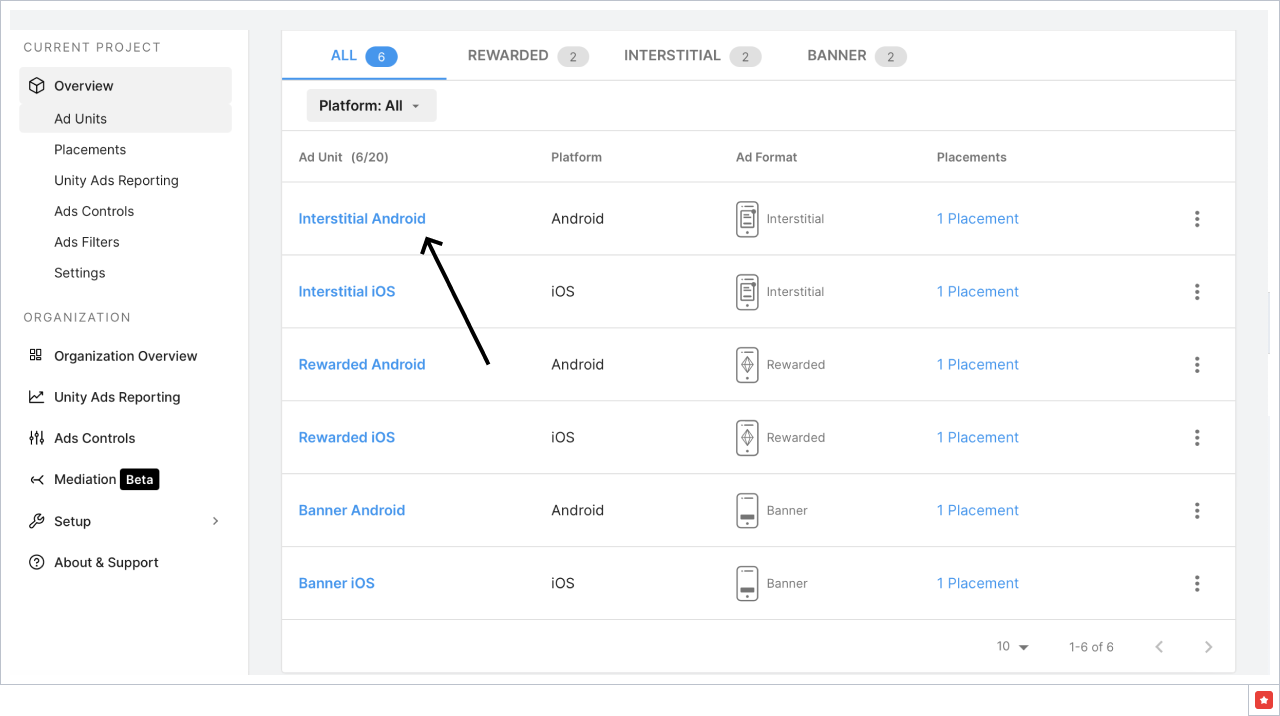
Select Monetization on the left and go to the Ad Units and Placements.
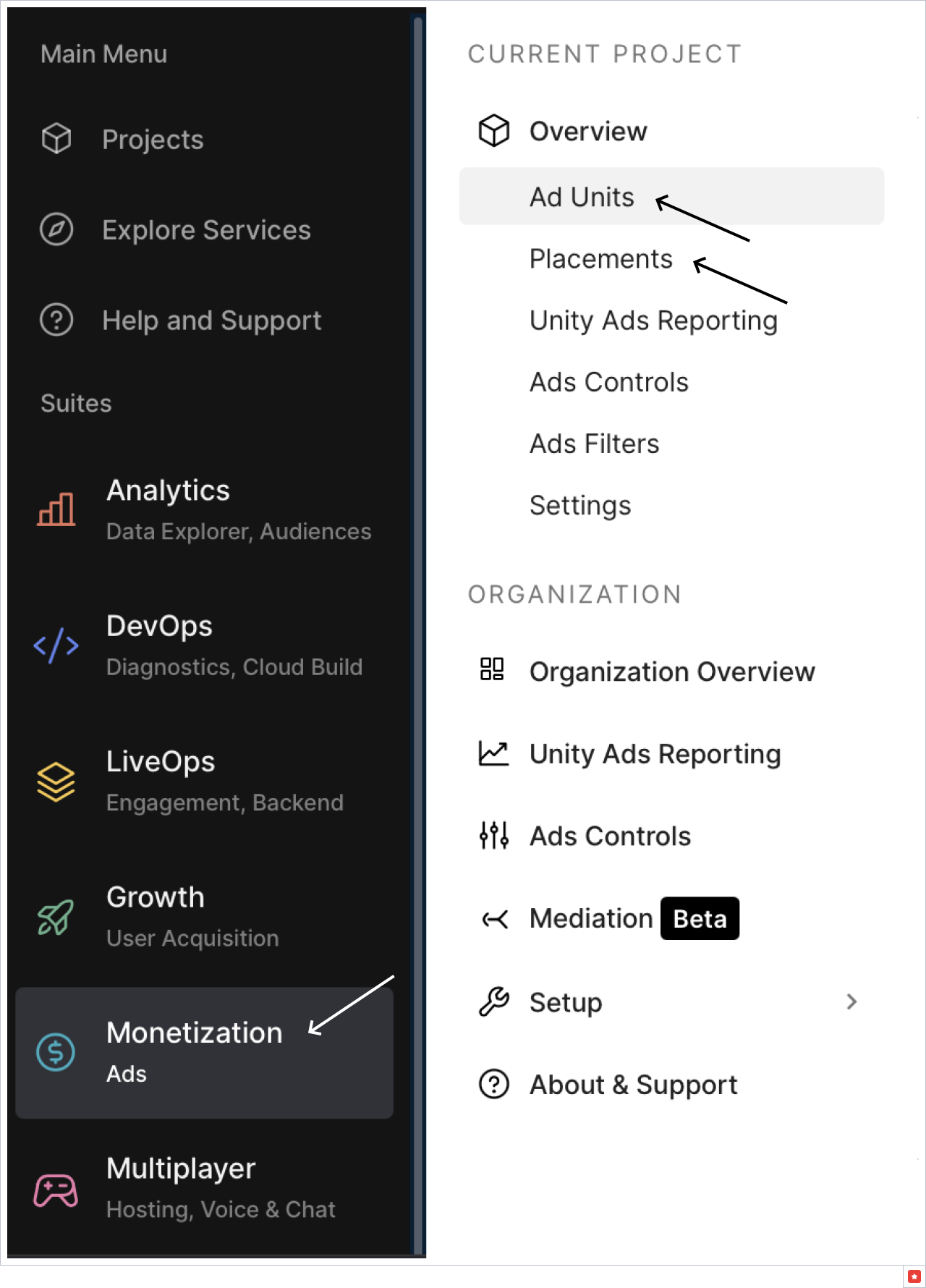
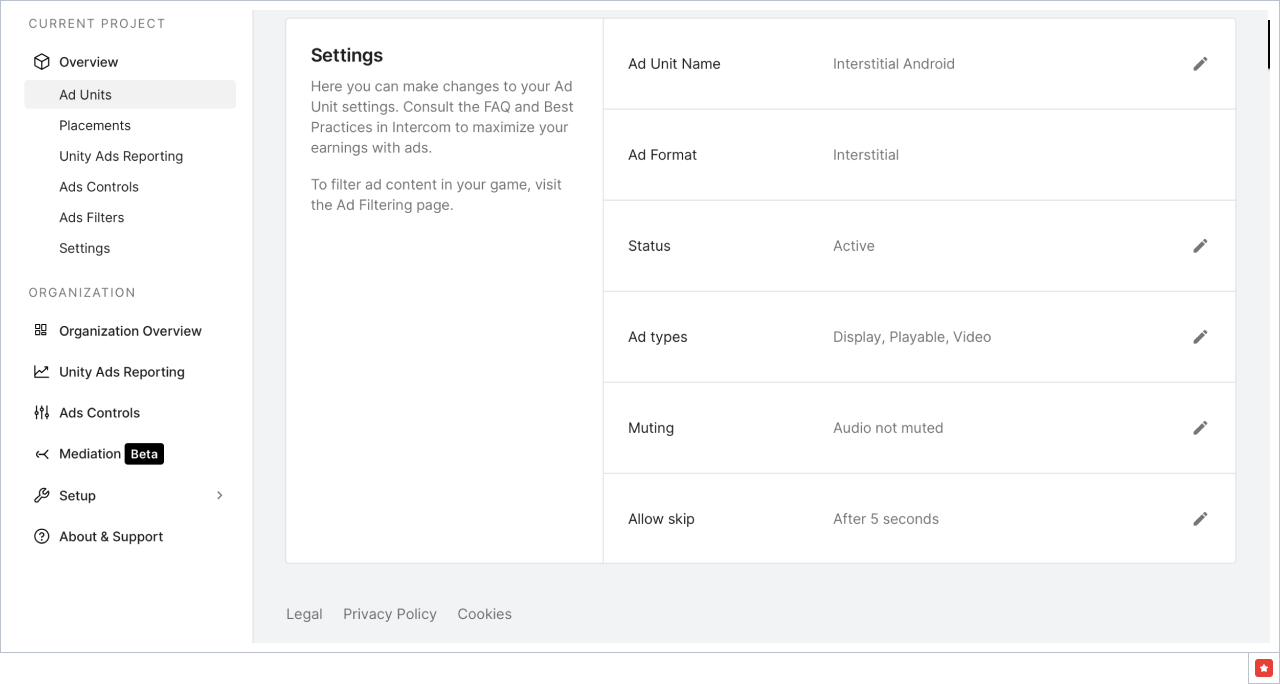
An Ad Unit represents the ad format settings for a surfacing point in your game, or for a collection of Placements using the same format across multiple surfacing points.
Ad Units and Placements are created for you by default. If you want, you can create your own.
Click on the ad unit name to change its settings.
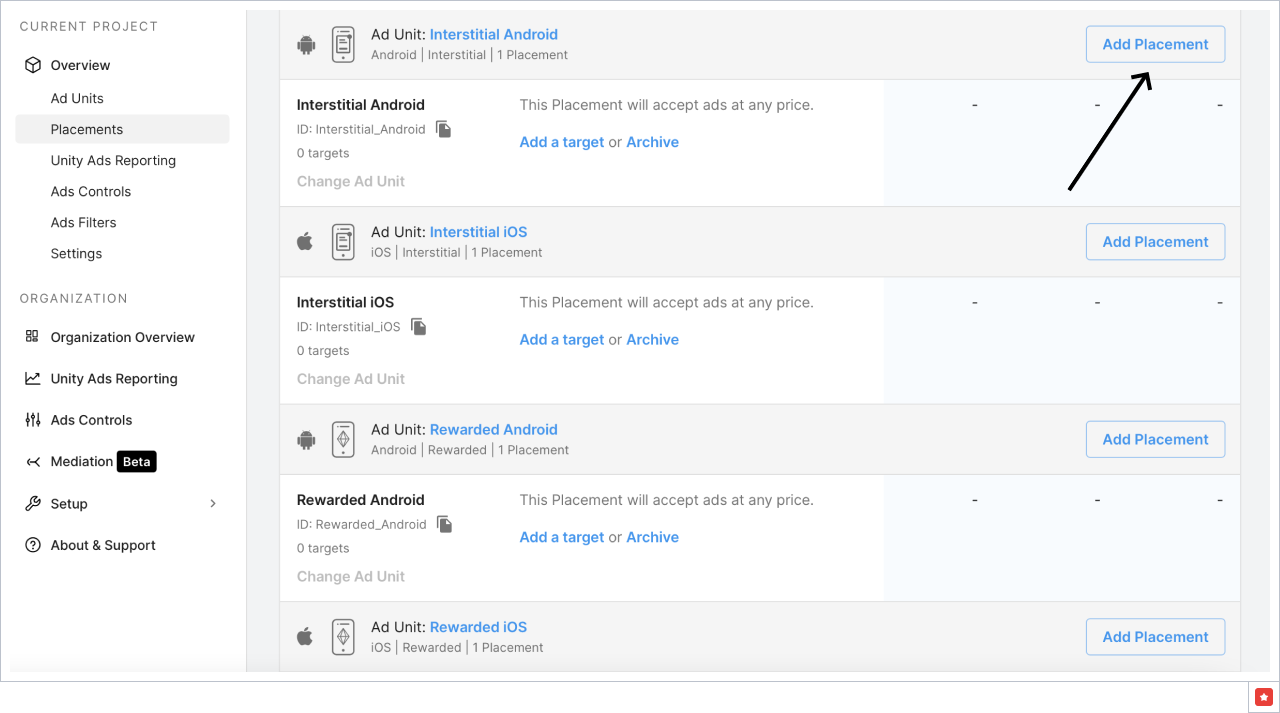
Go to Monetization → Placements and here you can create your own placements by pressing Add Placement
Step 5: Get Reporting API Key and Organization ID from your Unity account
The API uses a key from the Developer Dashboard. To find it:
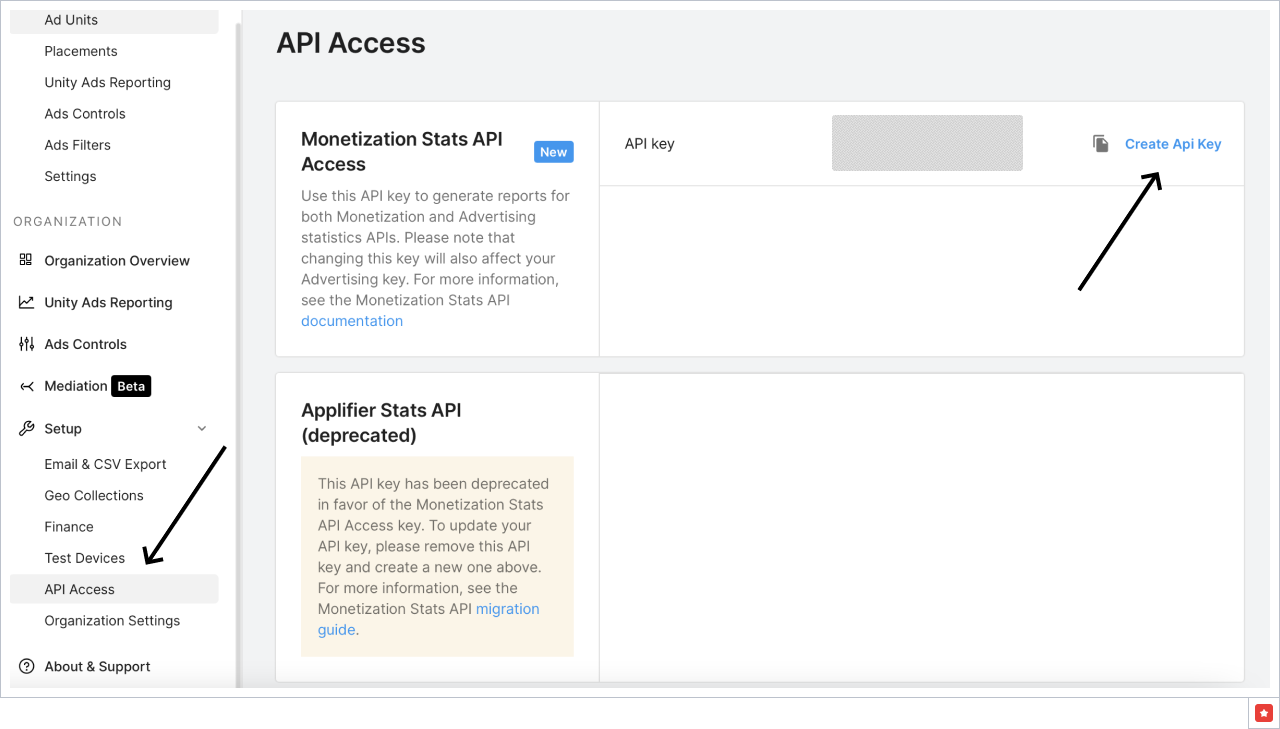
- To get the API key go to Monetization → Setup → API access, press Create API Key, and then you can copy it.
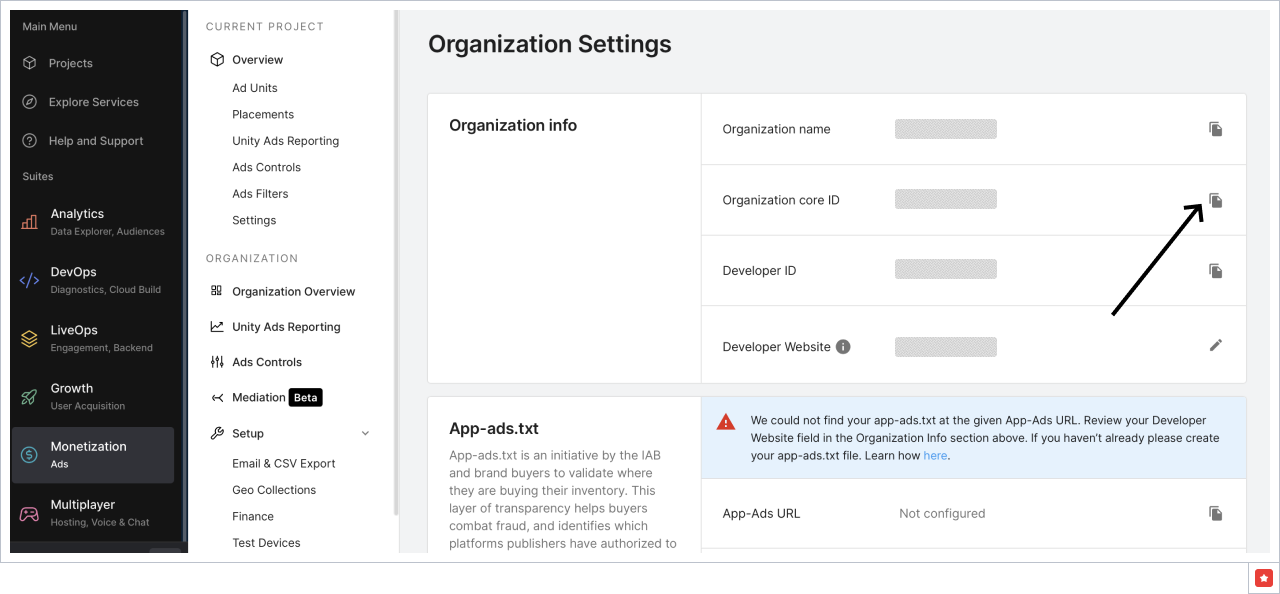
- To get Organization ID go to Monetization → Setup → Organization Settings and copy Organization core ID
Step 6: Add your Unity account to Appodeal
a) Follow this link.
b) Go to Unity → Link your account.
с) Add email for Unity account, API Key and Organization ID.
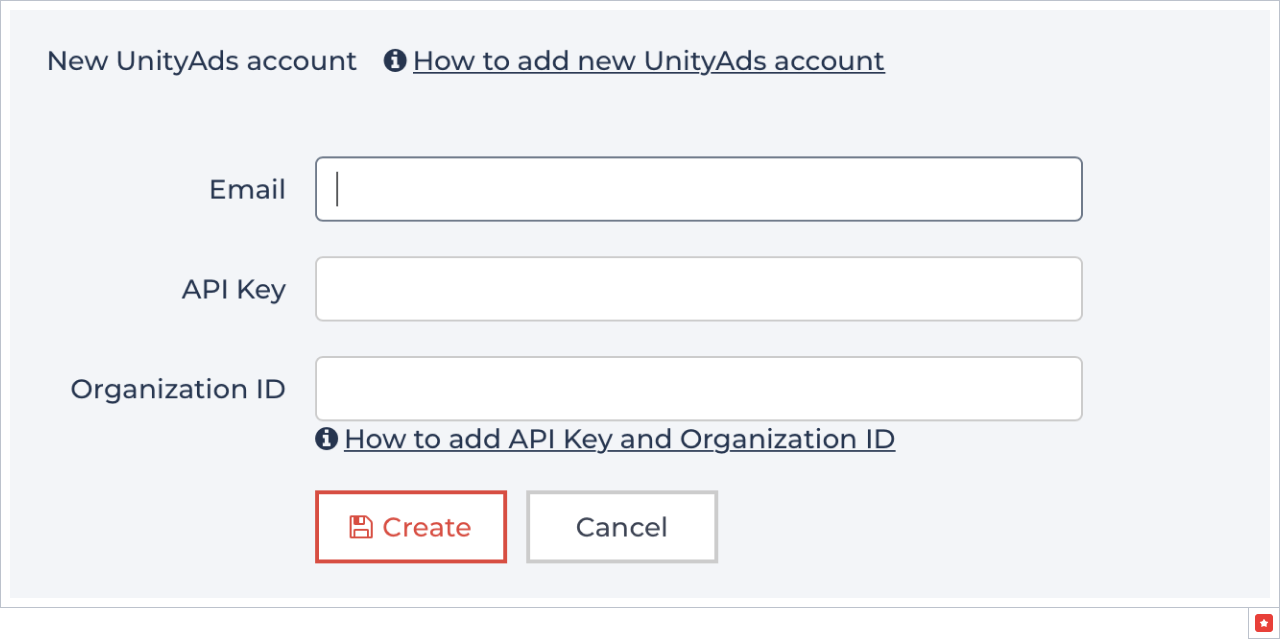
d) Click on the Create button.
Step 7: Link your Unity app with Appodeal
Go to Monetization → Ad Units and copy your Game ID.
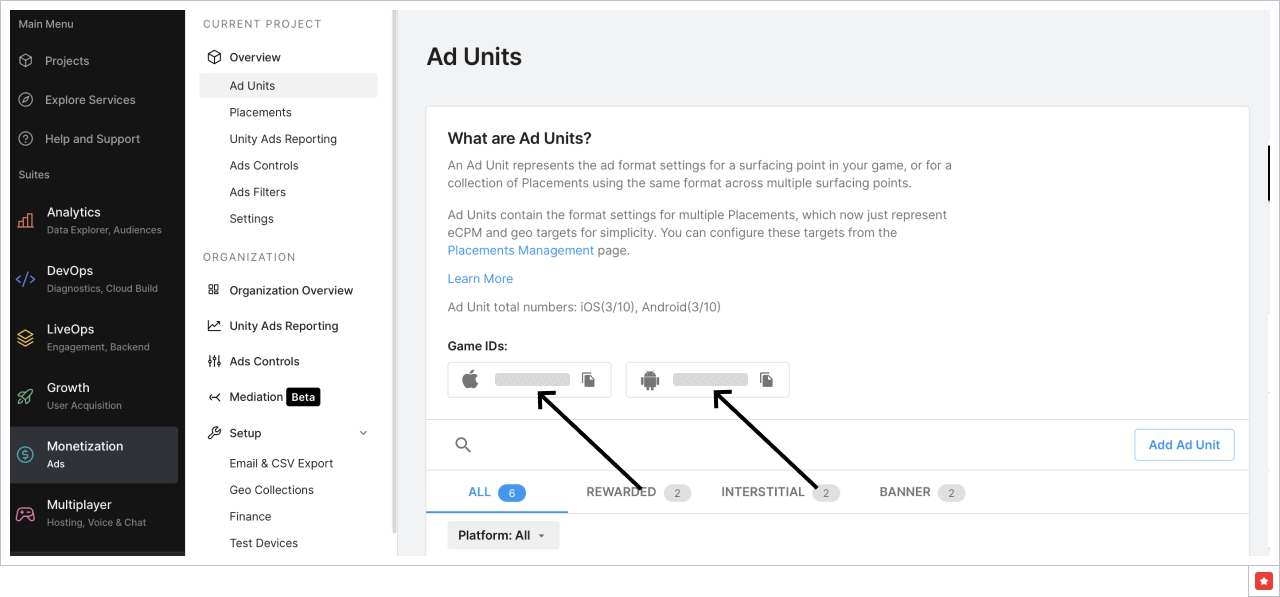
Go to Appodeal apps → App's settings (little gear) → Mediation settings, select the ad type. Choose your Unity account and fill Unity Game ID.

Then go to Monetization → Placements and copy the placement ID.
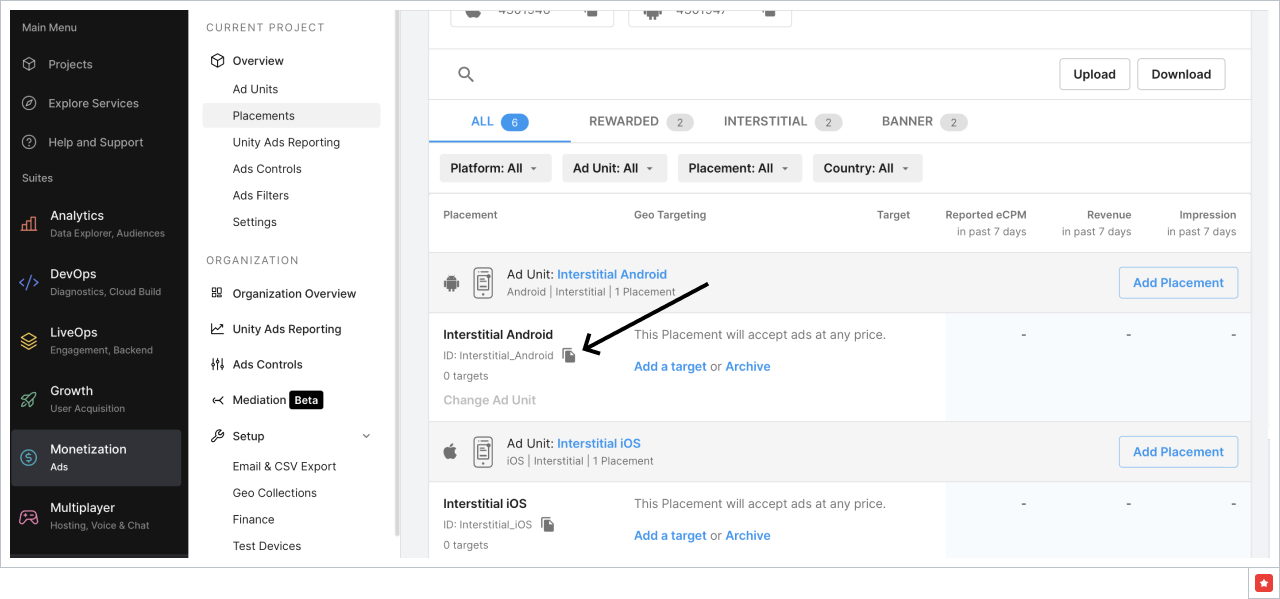
And add a line item on Appodeal. Go to Line Items in the app's settings, select the ad type, and press Add Line Item button.
Add Line Item label, Countries, eCPM and add it to default or all configurations, fill Code
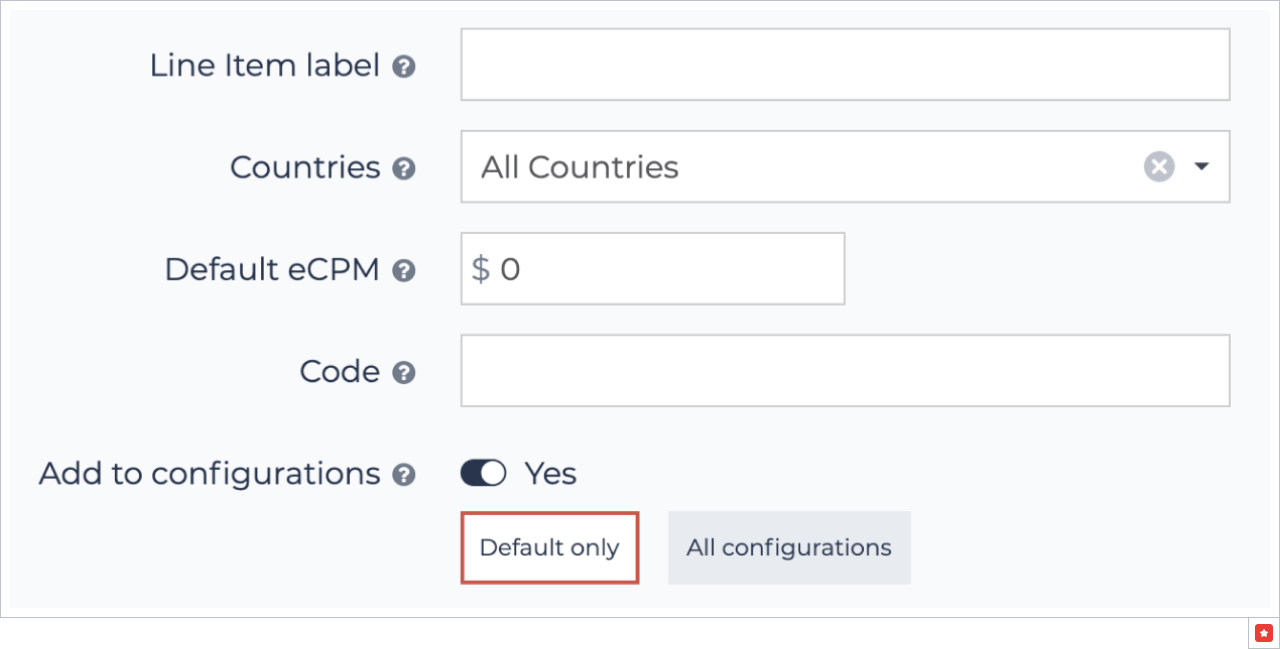
Code is a Unity Placement Reference ID. Don't forget to save the changes.
Now you can monetize with Unity Network via DCC.